

Before you paste: the safe-AI redaction workflow
4 min read
The safest way to use an AI assistant on sensitive work is to never send it the sensitive part: anonymize the text on your own machine first, work with the model on masked placeholders, then restore the real values locally. This is a vendor-neutral workflow — it works the same whether you use ChatGPT, Claude or Gemini — and it keeps personal data on your device instead of in someone else’s cloud.
TL;DR
- Three steps: anonymize → use the AI → restore, with the private key never leaving your machine.
- The model only ever sees placeholders (
[NAME_001],[PESEL],[EMAIL_002]), so no personal data is uploaded. - The output comes back with the same placeholders, which you swap for the real values locally.
- Order matters: anonymize before the first paste, restore after the last response. Skip step 1 and the data is already gone.
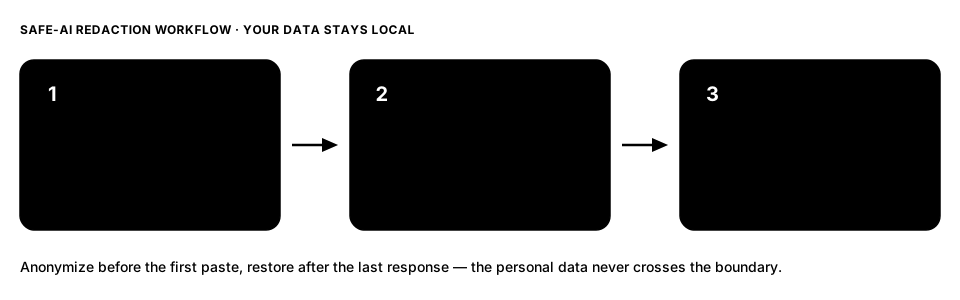
Step 1 — Anonymize on your machine
Before a single character reaches the AI tool, mask the personal data locally. That means detecting names (including Polish names across grammatical cases), emails, phone numbers, addresses, IDs and other identifiers, and replacing each with a consistent placeholder token.
Two properties make this work:
- Consistency — the same original always maps to the same token, so the model can still reason about “the same person” or “the same company” across the text.
- Locality — detection and masking happen on your own device, so the raw text never travels. Amaze runs on-device, fully offline; nothing is uploaded to do the masking.
Step 2 — Use the AI tool on masked text
Now paste the masked version into ChatGPT, Claude, Gemini, or whatever you use. The model sees:
Draft a reply to [NAME_001] at [EMAIL_001] about the overdue invoice
for [COMPANY_001] (NIP [NIP]). Keep it firm but polite.
It has everything it needs to do the work — tone, structure, relationships between entities — and none of the personal data. The placeholders are stable, so if the model refers back to [NAME_001] three paragraphs later, it still means the same person.
This is the whole point: the assistant is useful on the masked text, because what you need from it (drafting, summarizing, analysis) rarely depends on the literal identifiers.
Step 3 — Restore the originals locally
When the AI’s response comes back, it carries the same placeholders. You restore the real values on your own machine using your private mapping — the reversible-anonymization key that links each token back to its original.
[NAME_001] → Anna Kowalska
[EMAIL_001] → [email protected]
[NIP]       → 521-30-51-000
The mapping lives with you. If you never need to reverse it, you can work key-free and the masking is permanent (true anonymization). If you do, the key stays local and encrypted — it is never handed to the AI provider. For the precise line between the two, see anonymization vs pseudonymization.
Why the order is the whole trick
Every safe-AI habit reduces to when the data crosses a boundary:
| If you… | Then… |
|---|---|
| Anonymize before the first paste | The provider never receives personal data — nothing to leak. |
| Paste first, “delete the chat” later | The data was already transmitted; deletion doesn’t un-send it. |
| Rely on the provider’s privacy setting | You’re trusting a policy, not a boundary. On-device masking is a boundary. |
This is why the workflow front-loads the masking: the protection has to happen before the text leaves your machine, not after.
Who this is for
Lawyers reviewing client matters, doctors and clinics handling patient notes, and analysts working with customer data all hit the same wall — the AI tool is genuinely useful, but the input contains personal data they can’t send to a third party. The anonymize → use → restore loop is how you get the assistant’s help while keeping the data on your own machine. It’s the practical answer to anonymizing data before ChatGPT, Claude or Gemini.
FAQ
Does the AI still give useful answers on masked text? Yes. Drafting, summarizing, restructuring and analysis depend on the shape and relationships in the text, not on the literal names — and consistent tokens preserve those relationships.
What if I need the model to see a real value? Then that value isn’t safe to send. Keep it masked; if the task genuinely requires the real data, that’s a signal the task shouldn’t go to a third-party model at all.
Is this anonymization or pseudonymization? If you keep the key to restore, it’s pseudonymization (still personal data, but the key never leaves your device). If you discard the key, it’s anonymization. Choose per task.
Do I have to trust the AI provider’s data policy? No — that’s the advantage. Because the personal data is masked before it’s sent, the workflow doesn’t depend on the provider’s retention or training settings.
Part of our complete guide to data anonymization.